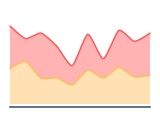
Area chart - definition, examples, and best practices.
To create an area chart in Google Slides, install Chartbuddy from the Chrome Web Store, open your presentation, select your data, and choose from stacked or 100% area chart layouts. Chartbuddy renders filled areas with custom colors and formatting, built natively inside your slide with live Google Sheets sync.
What is an area chart?
An area chart is a line graph with the space between the line and the x-axis filled in with color. This shading emphasizes the volume or magnitude of values rather than just the rate of change. When multiple series are plotted, the areas are stacked on top of each other, showing both individual trends and the combined total.
Area charts are particularly effective when you want to convey a sense of scale - a filled area simply feels "bigger" than a thin line, which makes them well-suited for presentations where you want to emphasize growth, volume, or cumulative impact.
What is a 100% area chart?
A 100% area chart normalizes the stacked areas so the total always equals 100% at every point in time. Instead of showing absolute values, it shows how proportions shift over time. The overall shape is always a rectangle - what changes is how the colored bands within it expand and contract.
When to use area charts
Area charts work best for time-based data where magnitude matters. Typical use cases:
- Revenue composition over time - showing total revenue growth while simultaneously displaying how product lines contribute to the total (stacked area)
- Resource allocation trends - visualizing how team capacity or budget distribution shifts across quarters
- Market evolution - tracking how market share among competitors changes over time. A 100% area chart is ideal here because it highlights relative shifts regardless of overall market growth
- Cumulative metrics - showing running totals like cumulative users, cumulative spend, or cumulative production output
- Channel mix analysis - using a 100% area chart to show how the proportion of traffic, leads, or revenue from each channel evolves month over month
Area chart vs line graph
Use a line graph when you want to emphasize rate of change and precise values. Use an area chart when you want to emphasize volume, magnitude, or the cumulative story. For comparing trends across series, line graphs are often clearer because overlapping filled areas can obscure each other. For showing composition over time, stacked or 100% area charts are the better choice.
Best practices
- Order stacked areas consistently. Place the least volatile series at the bottom and the most volatile on top - this keeps the baseline stable and makes the chart easier to read
- Limit to 4-5 stacked series. More than that and the individual areas become too thin to read. Group smaller categories into "Other"
- Use semi-transparent fills when areas overlap. Full opacity can hide data beneath it
- For 100% area charts, always label the y-axis as percentage and include a legend or direct labels so the reader knows what each band represents
- Add data labels or annotations for key moments (e.g., "Product B overtook Product A in Q3") rather than expecting the reader to interpret the chart alone
Create area charts in Google Slides with Chartbuddy
Build professional area charts and 100% area charts directly in your presentation. Visualize growth, composition, and trends - all natively in Google Slides.
No credit card required · Chrome & Edge