Privacy-first approach
Chartbuddy uses Google's drive.file permission scope. This means we can only access specific Google Slides presentations that you explicitly authorize - never your entire Drive.
Granting access to a presentation
Step 1: First time in a presentation
When you open Chartbuddy in a Google Slides presentation for the first time, you'll be prompted to grant access to that specific file.
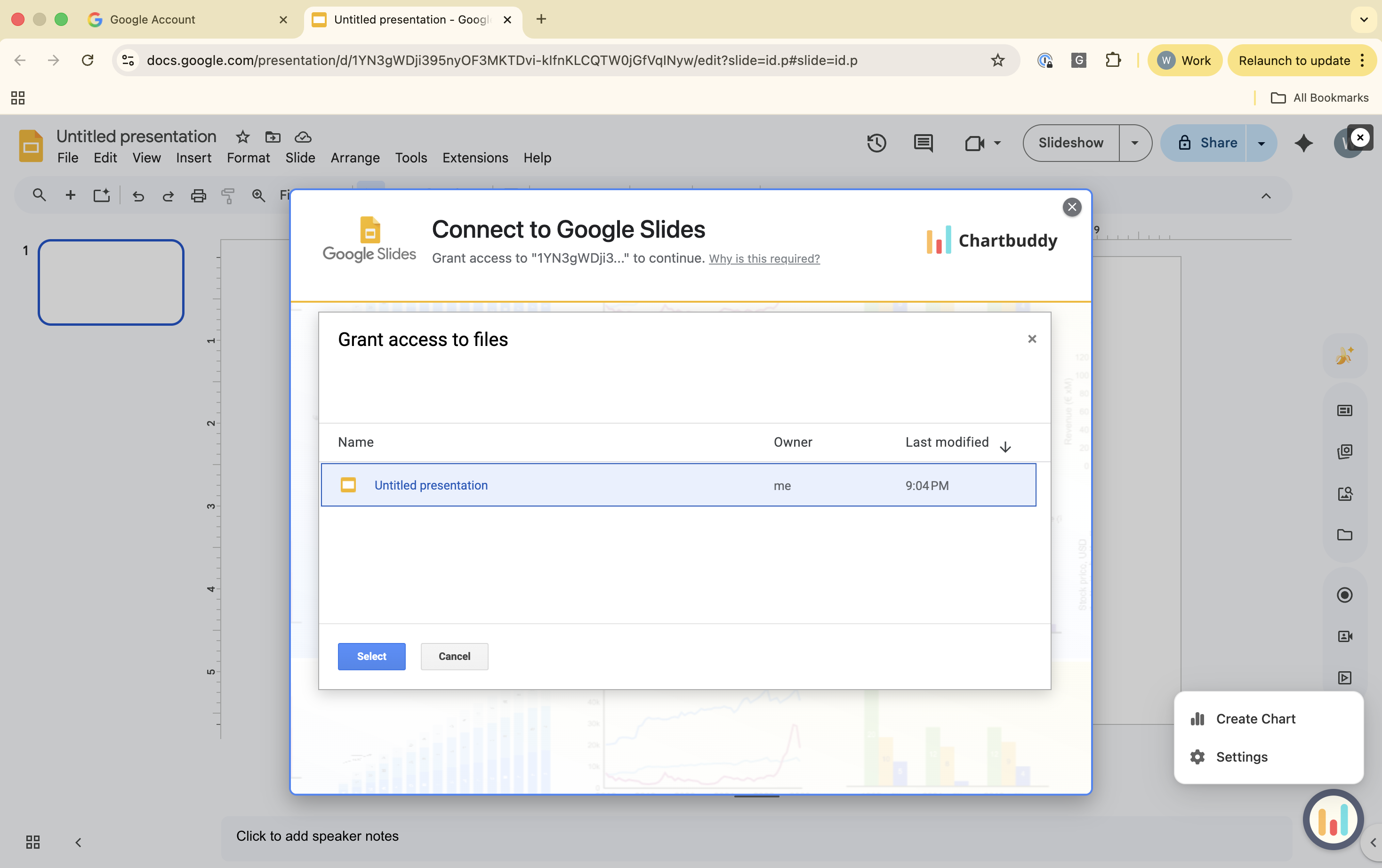
Step 2: Select the current file
The Google Drive picker will show only the presentation you're currently editing. Select it to grant access.
Step 3: Authorization complete
After authorization, Chartbuddy can insert and update charts in that specific presentation. You only need to grant access once per presentation.
Key points
- Access is granted per presentation, not for your entire Drive
- You only need to authorize once per presentation
- You can revoke access at any time through your Google Account settings
Related
Learn how to revoke Chartbuddy's permissions if needed.