
Appearance
Connect Cursor
Wire Cursor to Chartbuddy Hub over local stdio MCP.
Let Cursor do it
You can paste the following into a Cursor agent chat:
text
Chartbuddy Hub MCP setup guide:
https://chartbuddy.io/hub/docs/connect-mcp/cursor

Separate plaintext pages: /hub/mcp-setup.md · /hub/mcp-setup.json
Typical setup: install Chartbuddy Hub if needed, write ~/.cursor/mcp.json (user/global), refresh MCP, confirm with chartbuddy --mcp-status.
Three steps
1. Install Chartbuddy Hub
Install Chartbuddy Hub and launch it once before you add the server (approve OS security prompts). On macOS, you can also use Help → Connect Cursor… inside Chartbuddy Hub to copy the config.
2. Add a custom MCP in Cursor
Open Cursor Settings → Tools & MCPs, then under Home MCP Servers click Add Custom MCP. That opens your user mcp.json (on macOS: ~/.cursor/mcp.json). Prefer this Home / global config — do not commit a project-scoped copy.
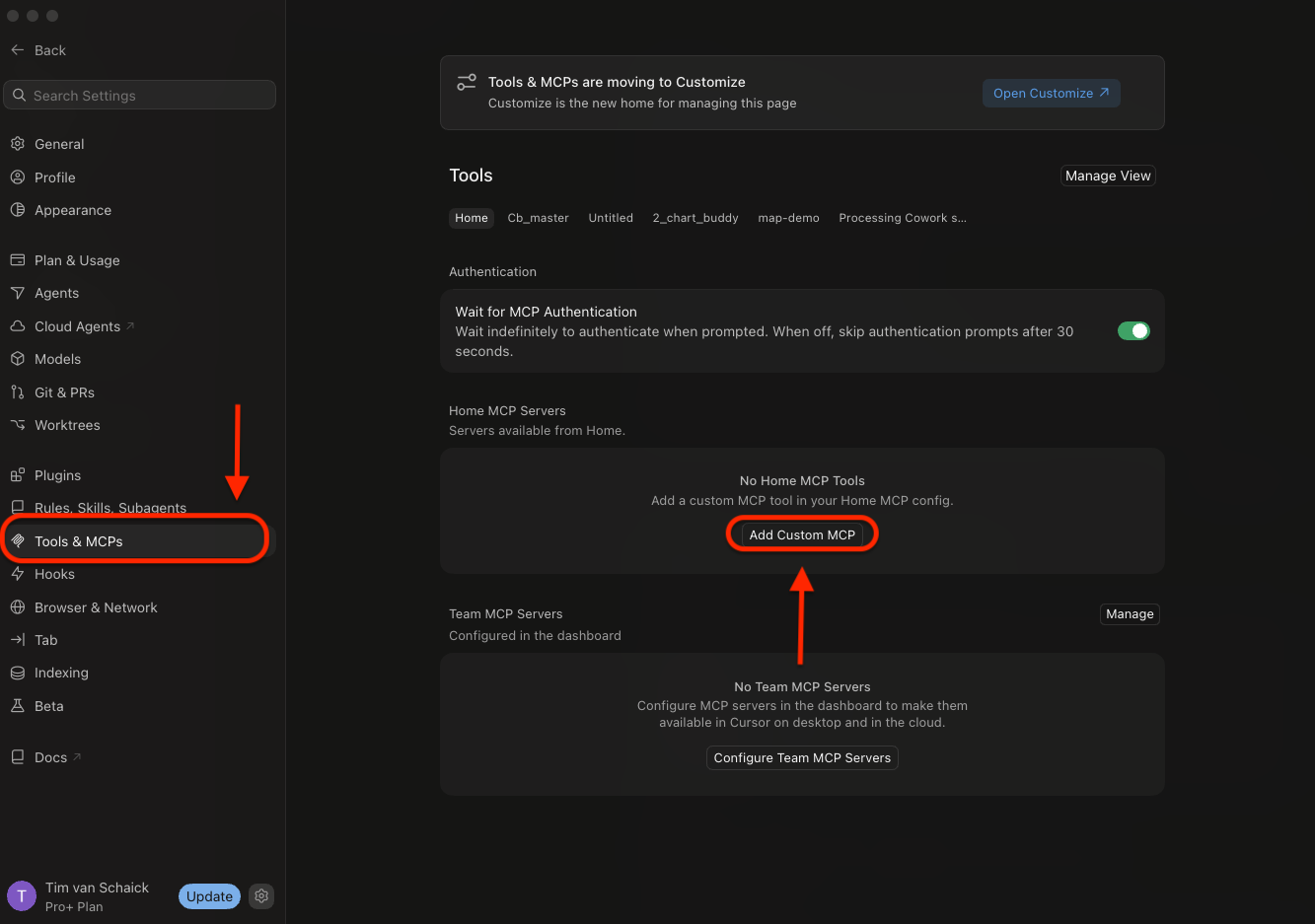
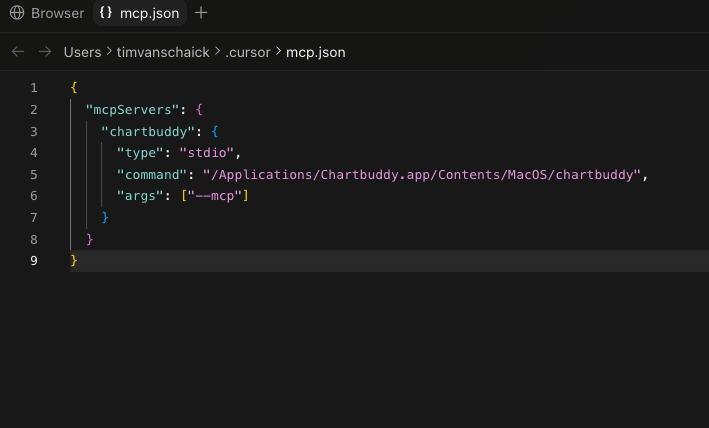
Paste the Chartbuddy server block (toggle OS below), then save the file:
json
{
  "mcpServers": {
    "chartbuddy": {
      "type": "stdio",
      "command": "C:\\Users\\YOUR_USER\\AppData\\Local\\Programs\\Chartbuddy\\chartbuddy.exe",
      "args": ["--mcp"]
    }
  }
}
json
{
  "mcpServers": {
    "chartbuddy": {
      "type": "stdio",
      "command": "/Applications/Chartbuddy.app/Contents/MacOS/chartbuddy",
      "args": ["--mcp"]
    }
  }
}
Windows install
A public Windows Chartbuddy Hub build is not shipping yet. Switch to the macOS tab until it does, then replace YOUR_USER (or use the path shown after install).
Prefer one global config. Duplicate global + project entries make it unclear which server the agent is using.
3. Refresh and use
Refresh MCP (or restart Cursor) and enable Chartbuddy for the chat. Mid-chat attach usually works after a refresh; if tools still do not appear, start a new agent chat.
Handoff
Optional context for a chat that will use the tools:
text
Chartbuddy MCP is configured (stdio → chartbuddy --mcp → Chartbuddy Hub).
Transport: newline JSON-RPC or Content-Length framed MCP — not HTTP docs.
Open charts: list_charts — Hub chart-* and CE ce:* (surface tauri|ce). get_active_chart prefers a focused CE session when the extension bridge is connected.
Missing tools usually mean the chartbuddy MCP server is off for the chat, or a new chat is needed.
Verify
powershell
& "$env:LOCALAPPDATA\Programs\Chartbuddy\chartbuddy.exe" --mcp-statusbash
/Applications/Chartbuddy.app/Contents/MacOS/chartbuddy --mcp-statusExit 0 = Chartbuddy Hub bridge up. Keep Chartbuddy Hub running while you chart.